 Quoted on SEO and content by the Shopify blog, MarTech, and other industry-leading publications

Google is going through some big changes right now, and they’re going to have a huge impact on the way we do ecommerce SEO.
We’re seeing lots of different features on the search results pages (and not just the AI-generated results from Google’s AI Overviews)
We’re also seeing a lot of the low-quality, cookie-cutter blog articles that used to rank getting pushed further down in search results as Google strives to reward helpful, well-researched resources.
Below, I’ll talk about some of the steps you can take to accommodate these and other recent updates.
1. Monitor Your Google Merchant Center
Google shows more non-ad product listings in the search results than ever before.
And if you run a product-related search, you’re able to refine the results by price, size, etc., right there on the main search page without having to click over to the Shopping tab.
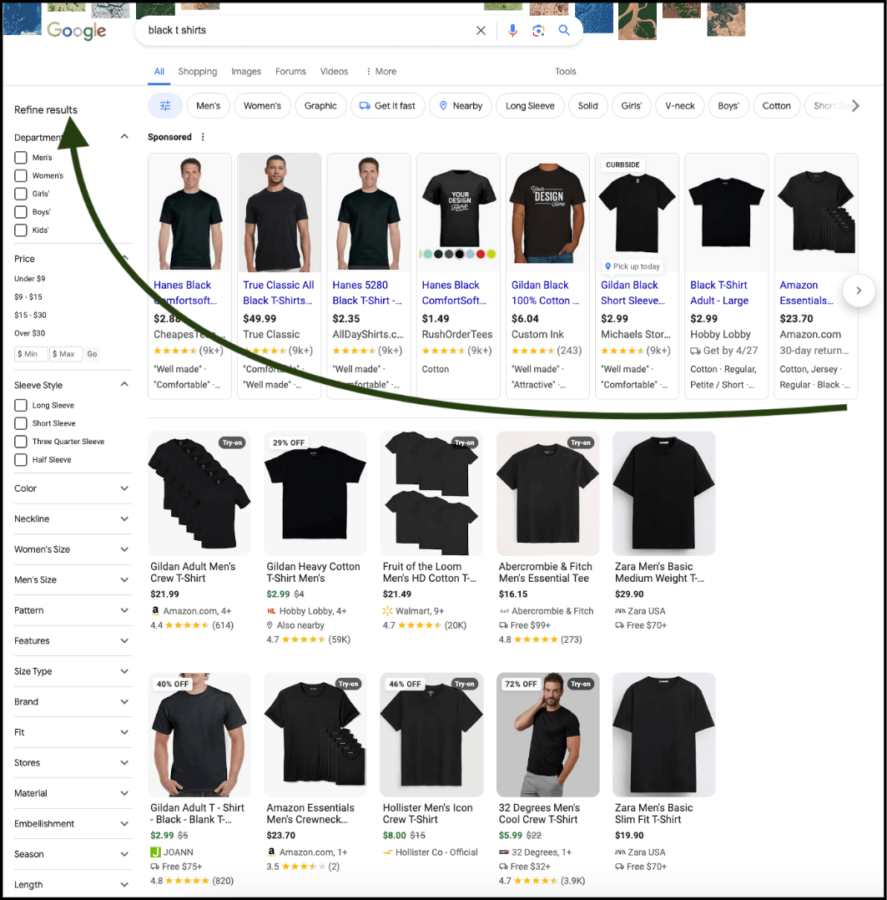
These features have a good chance of stealing the searcher’s attention before they scroll down to the URL search results. Therefore, we have to take extra steps to try to get our product pages ranked.
Google Merchant Center can be extremely helpful in this regard.
What Is Google Merchant Center?
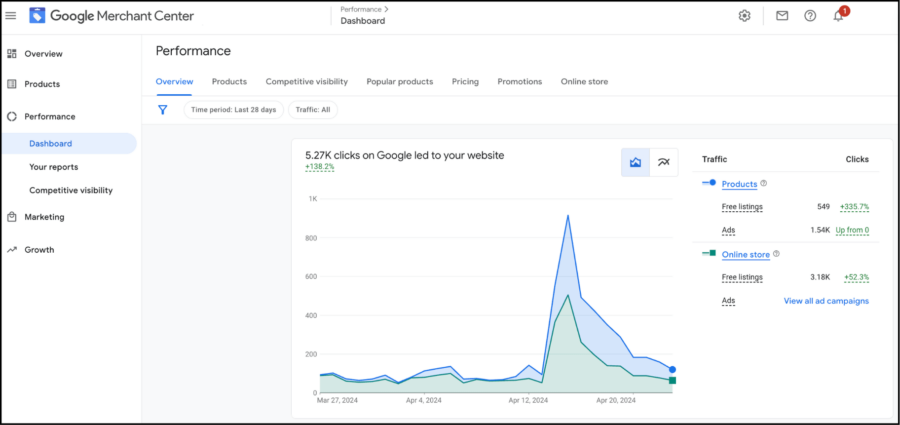
Google Merchant Center (GMC) is a free tool that allows you to tell Google about the products listed on your website. Feeding Google a bit of extra information helps it understand which searches to include your products in.
That way, when someone searches” black T-shirts,” your shirts may actually appear in the results.
GMC asks for all kinds of data about each product, like the price, brand, size, color, etc. So when a searcher filters down their search to get more specific results (ex. “XL black t-shirts” or “black t-shirts under $25”), there’s a better chance they’ll find your product.
How to Use Google Merchant Center
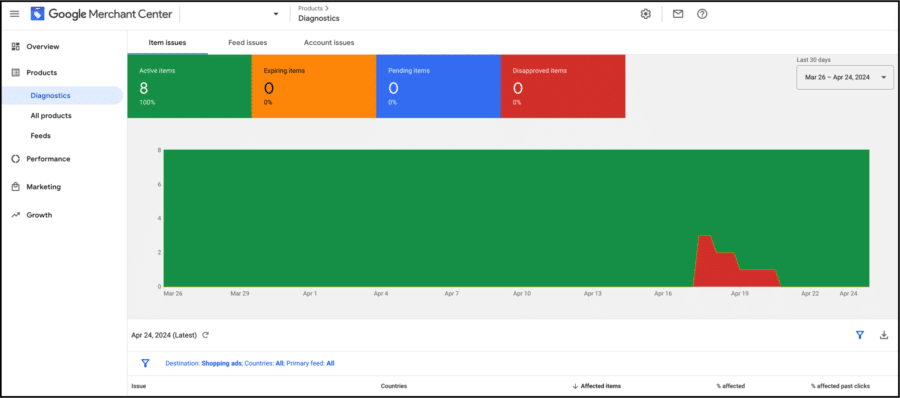
GMC’s most valuable tool for ecommerce SEO is a Product inventory database that tells you which products currently appear in search results and which don’t. If they don’t appear, Google tells you what you need to fix.
Here are some common reasons why Google might reject a product listing:
- Images too small: Must be larger than 250×250 pixels
- Promotional text over images: No logos or anything like that
- Missing information: Must specify product size, color, price, etc.
- Exploitative product descriptions: Can’t target people’s insecurities or personal hardships in order to convince them to buy
This feature makes it very easy to address any of the issues that might prevent people from finding your products.
GMC also offers a range of analytics features that allow you to track and measure the performance of your product listings over time. It’s an important tool for any ecommerce SEO audit.
This platform integrates with most of the major ecommerce content management systems. To link your GMC account with Shopify, follow these instructions. For WooCommerce/WordPress, start here.
Related: Ecommerce SEO vs. “Regular” SEO (and How AI Is Changing Them Both
2. Make Schema Markup a Regular Part of Your Process
Structured data, or schema markup, is a code snippet that helps to tell Google two important pieces of information:
- What type of page they’re indexing: Product listing, job description, author profile recipe, etc.
- The topic of the page: The specific product, job description, recipe, etc., that they’re indexing
It’s essentially a way to tell Google, “Hey, I sell black t-shirts. You should show it to people when they search for black t-shirts.”
Schema markup has always been useful, but it’s particularly important now that the top search results are dominated by featured product listings.
How to Create Schema Markup for Products
Some ecommerce platforms automatically generate schema markup for every product listing, but it’s still good to check that the information is complete.
Google has two helpful tools for this: a Rich Results test and a Schema Markup Validator. You can find them both (and some instructions on how to use them) here.
If your pages lack structured data, you can use the Schema Markup Generator on technicalseo.com to create some.
It’s a very straightforward tool to use: just go to the website and select Product from the dropdown menu.
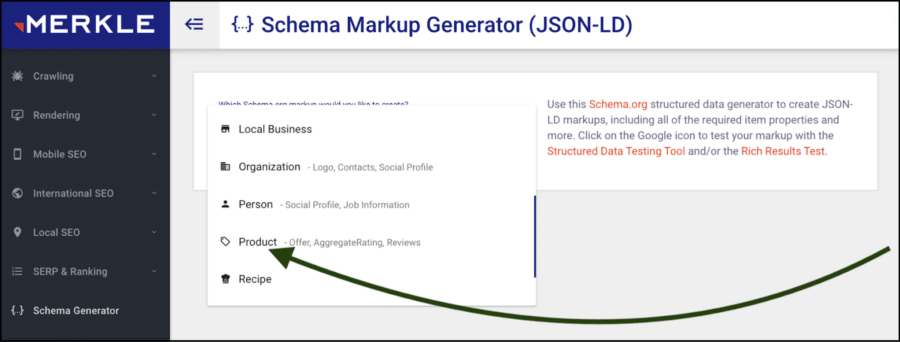
From there, input as much information as you have (name, price, image URL, etc.).
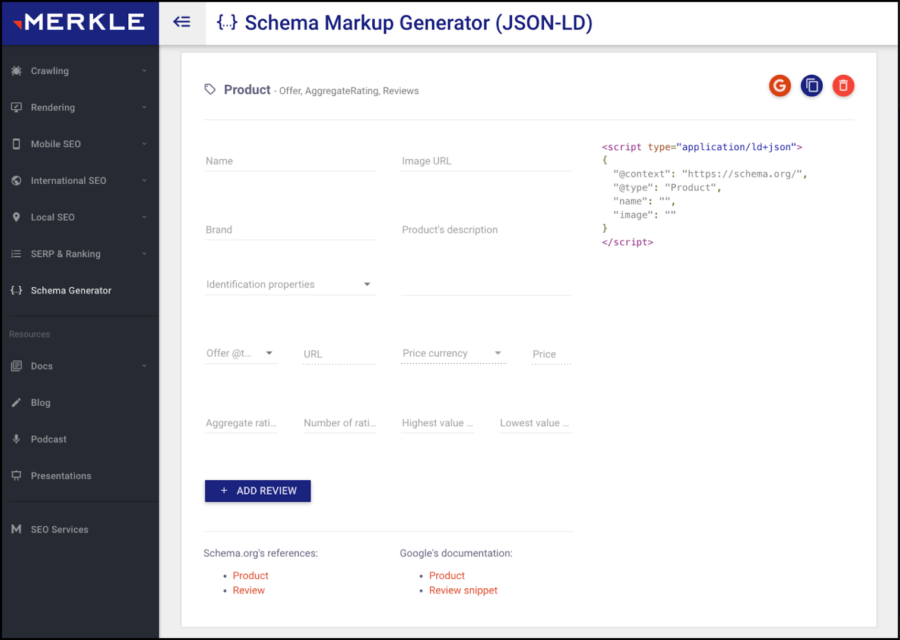
If you don’t have any reviews or ratings to share, don’t worry; you can always add that information later as you collect it. However, any information that you can give Google will help it to understand when to show searchers your product.
When your schema markup is complete, you can copy and paste it into the <head> or <body> section on your page. This article might answer any further questions you have about implementing schema on your website.
3. Rethink Your Blog Strategy With “Information Gain” in Mind
Google’s patent application for an “information gain” scoring system was accepted in 2022. It’s widely believed that this scoring system is currently used to rank search results, or will be in the near future.
Essentially, this system assigns every blog article a score based on the amount of new information it brings to the conversation around a particular topic.
Here’s why this matters for ecommerce SEO content:
If your blog-creation process involves little more than Googling your target keyword and rewording the articles that currently rank in the top three, your article will likely have a low information gain score.
And it probably won’t rank.
On the other hand, if your article includes some new statistics or offers a unique take on a well-covered topic, your article has a much better chance of ranking.
Google started to score information gain over the past few years as a way to combat the long-standing trend of SEOs rehashing each other’s content to rank.
Over time, it has helped to weed a lot of AI-generated blog articles out of the search results.
How to Think About Information Gain
Adding something new to the conversation is a lot easier than you might think, especially for ecommerce companies.
After all, you’ve probably already thought a lot about what makes your product better than competitor products.
Now, it’s time to think about your content the same way.
Ask yourself: What types of information do we have that other companies don’t?
It might be data from a customer survey that you conduct with every customer. Or maybe you have connections with an industry veteran who could provide some quotes for your blog article. If nothing else, you have some strong opinions about what makes your product so much better than competitors’ products.
These can all be helpful in making your content stand out from the rest.
For instance:
Let’s say you’re writing a blog article about how to choose the best hiking hat.
You could write a piece titled The X Best Hats for Hiking, in which you rank some of your hiking hats to encourage people to buy them. However, you’d be competing with unbiased (and highly trusted) brands like REI, so there’s a good chance you won’t rank.
Instead, you could inject a controversial opinion into an article like:
Why the Best Hiking Hats Are Made from Leather (Not Cotton!).
Or, you could showcase a proprietary process in an article titled:
How the Best Hiking Hats in the World Are Manufactured.
These topics both give you the opportunity to promote your products while differentiating your content from everything else that’s currently ranking.
Google isn’t the only one who will notice. Human readers are likely to recognize that your content offers something unique, which can help boost your site’s engagement (and, ultimately, improve your rankings).
Don’t Forget About the Basics, of Course
Although Google is changing, and our approach to SEO must change with it, some aspects of search engine optimization have remained the same.
Every website still needs the following:
- A healthy technical foundation: It should load fast, get good Core Web Vitals scores, be mobile-friendly, and be able for Google to crawl/index. Technical SEO was at the center of the 3x sales increase we helped APEX Ski Boots achieve, and at the heart of helping this international ecommerce brand grow organic search revenue by 61.1%.
- A well-researched keyword strategy: All navigation pages and product category pages should be optimized around high-conversion keywords.
- Backlinks from other (high-quality) websites: Google uses backlinks to gauge your website’s reputation, and you’ll need some in order to start ranking for competitive keywords.

Conclusion
Google is changing the way it delivers search results to users. Here are some ways to ensure your site stays competitive in the face of these changes:
- Use Google Merchant Center to make sure your products appear in the right searches.
- Implement structured data to help Google understand which searches to show it in.
- Publish content that adds new information to the topic in question.
SCALE YOUR ORGANIC TRAFFIC
Subscribe to our monthly newsletter